
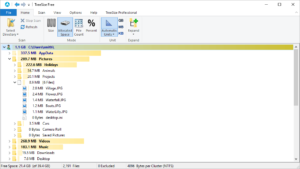
With the fast (but smaller) SSD that is standard in most modern laptops today, you might be running low on free disk space. Use TreeSize to figure out what is filling up your drive.
Sometimes, you might not know what is filling up your local hard drive. IT can be very time consuming to figure it out. Years back I wrote about a tool named WinDirStat. Today I will introduce you to a nice little tool, called TreeSize. This tool can help you with the task fast and easy. The files that fill up a drive can be anything from files you have copied into your PC yourself, like photos, videos or music. Sometimes it can also be things like: driver downloads, Internet Cache, Temp files, Online Storage programs like Dropbox, OneDrive and a lot of other things.
What are the TreeSize tool?
TreeSize tool is a great little free tool, that can help you identify in which folders you hard drive is been filled up.

How does TreeSize work
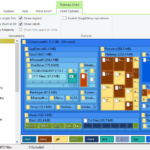
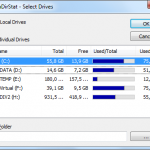
The tool is very simple and easy to use. You simply select a folder or a drive you want to scan and the tool delivers a visual overview order by the folders taking up the most space on your drive. The program does not delete anything, but simply shows you where all your mess is. It also shows you what kind of file types are using most storage on your hard drive.

Download TreeSize
You can download TreeSize here and check it out yourself. I am sure you will find this tool very useful. I have used it myself when I clean up disk space on servers, that are running low on disk space.
Exclaimer
Don’t delete system files or folders. Your computer might not be able to reboot if you mess up with the wrong files. If you find files you don’t know the meaning with, try searching on Google to find more information. Don’t just delete files if you are note sure.

Hi Thomas,
I use two hdd one magnetic and one SSD and I have found that my HDD was getting full all on a sudden. Thanks for recommending treesize tool.
Thanks for sharing its very useful article.