
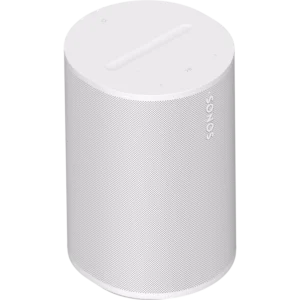
I recently treated myself with a Sonos Era 100, making this my third review of a Sonos product. Previously, I have written about both the Sonos One and the Sonos Roam Portable speaker.
What the Sonos Era 100 Is?
To begin with, the Sonos Era 100 is positioned as a next‑generation smart bookshelf speaker designed to deliver stereo sound, deep bass, and modern connectivity (Wi-Fi, Bluetooth, USB‑C line‑in). It’s the successor to the Sonos One, but with a more ambitious acoustic design and a broader feature set. This is a speaker that fits almost anywhere – your living room, bedroom, kitchen, or even a small office.
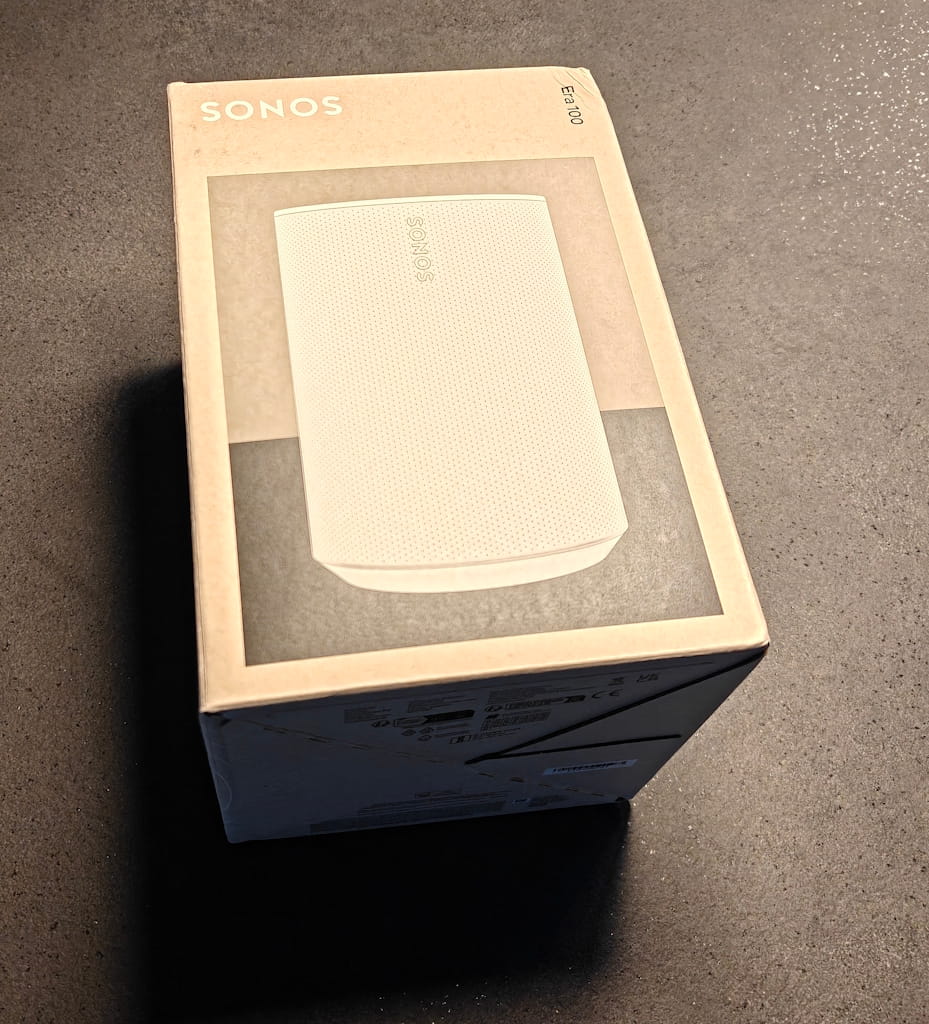
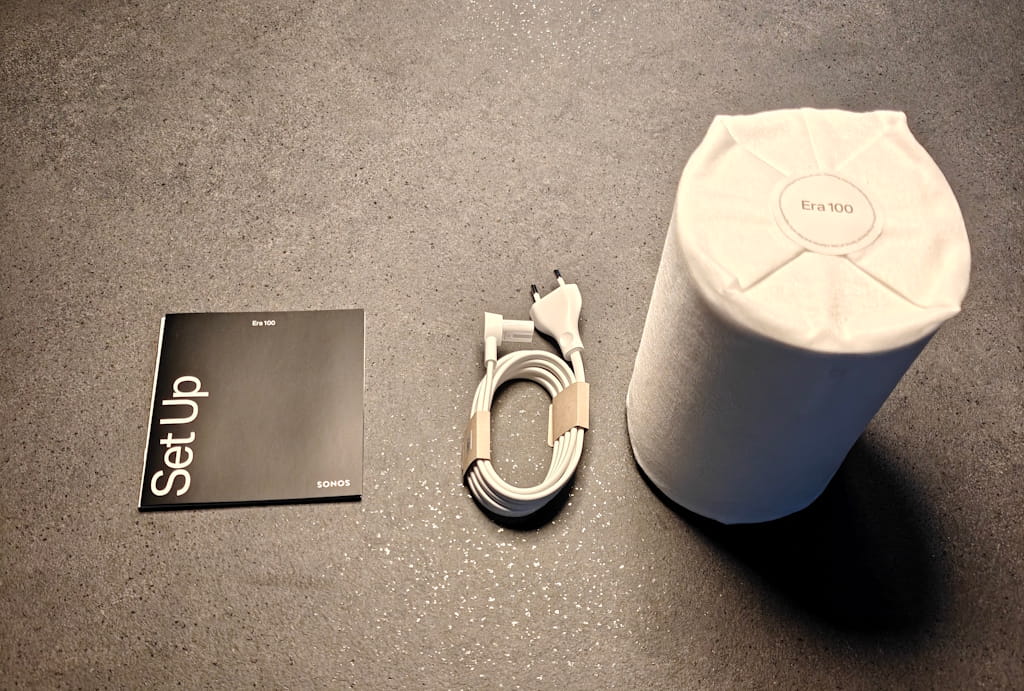
📦 What’s in the Box
Inside the box you will find:
- Sonos Era 100 speaker
- Power cable (2 m)
- QuickStart guide + warranty info
Altogether, the unboxing experience is simple and clean, just like you’d expect from Sonos.
⚙️ Setup Experience
Setting up the Era 100 couldn’t be easier. It took me about a minute.
Setting up the new speaker is very easy and one took me just about 1 minute. All you need is a smartphone or a tablet connected to wi-fi and with the Sonos App installed. Everything is handling inside the Sonos app. Furthermore, it guides you through the entire process, with pictures and guiding’s all the way. Once setup you can put it where you want in your home or office. It will fit right in on a bookshelf, nightstand or maybe in the kitchen table. All you need is to connect the power cord. Additionally, you can control the speaker from your phone or use the redesigned touch controls on the top panel.
🎛️ Buttons & Touch Controls on the Sonos Era 10
One of the subtle but meaningful upgrades on the Sonos Era 100 is the redesigned control panel on the top of the speaker. Sonos has moved away from the older tap‑based volume buttons found on the Sonos One and introduced a more intuitive layout.
Top Touch Controls
The top panel includes:
- Play/Pause button
- Previous/Next track buttons
- A new volume slider bar
- Microphone on/off button
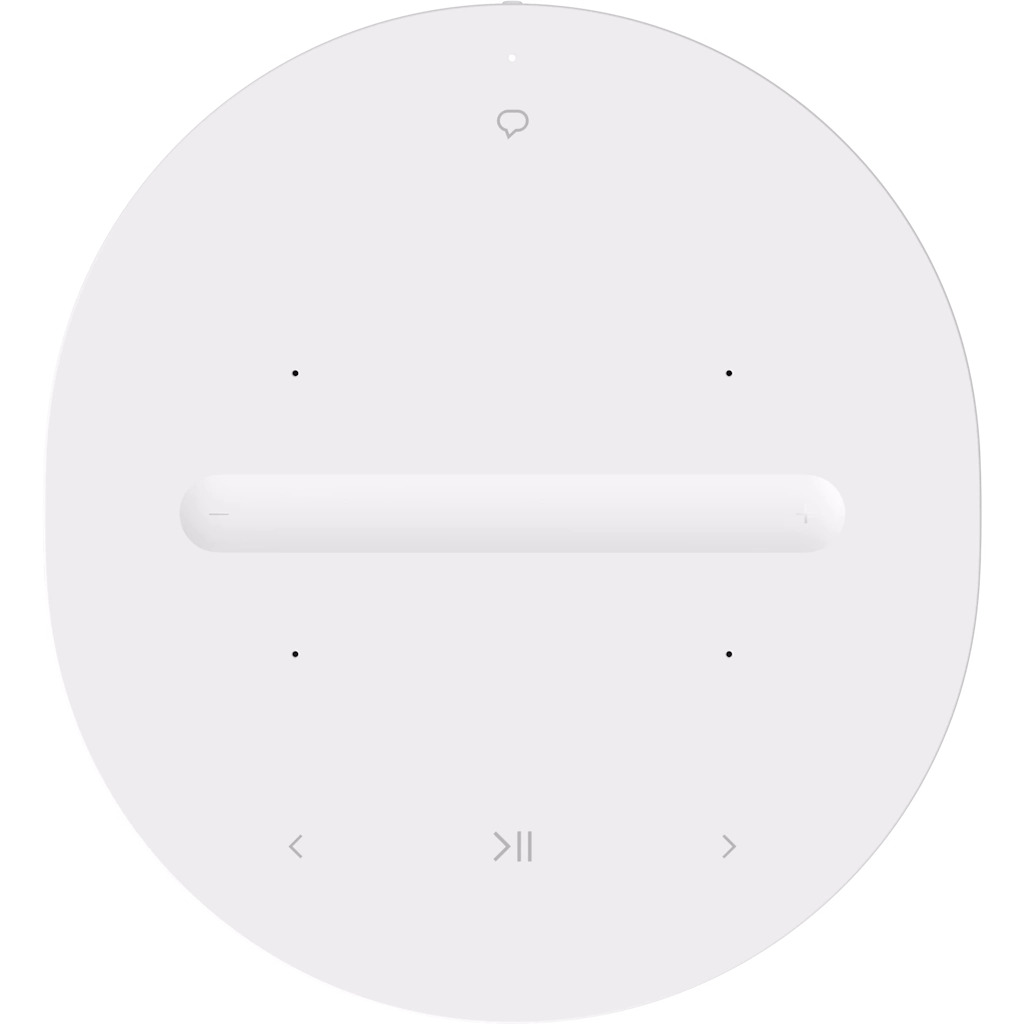
Sonos Era 100 Top View
The new volume slider is especially nice. Instead of tapping repeatedly to adjust volume, you can now slide your finger across the groove for smooth, precise control. Therefore, it feels natural and is a big usability improvement over the Sonos One.
Back Panel Buttons & Ports
On the back, you’ll find:
- Bluetooth pairing button
- Hardware mic switch
- USB‑C port (for line‑in via adapters)
- Power connector
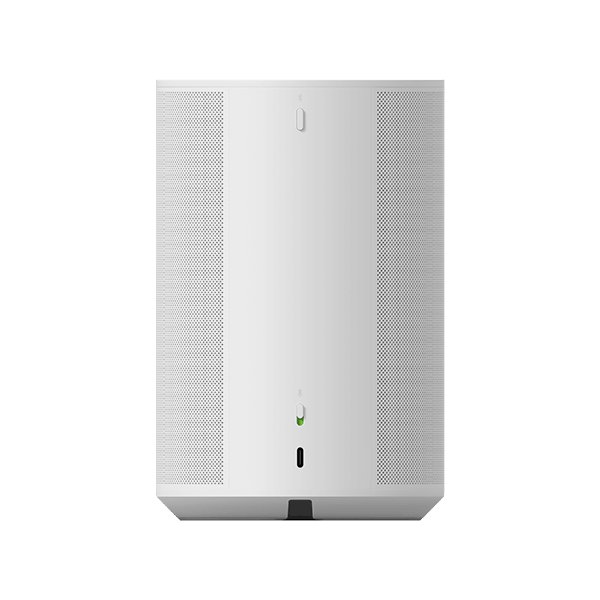
The Bluetooth button is a welcome addition and makes pairing quick and painless, especially if you want to use the speaker without Wi‑Fi.
Voice Control Options for Sonos Era 100
The speaker has support for voice commands. However, when it comes to setting up voice assistant for my new speaker, I noticed that I only had two options with the Sonos Era 100:
- Amazon Alexa
- Sonos Voice Control
With both my Sonos Roam and my Sonos One, I also had the option for Google Assistant, but that is not supported with Era 100 series. It might be a bit disappointing, but after setting up Sonos Voice control, it was not that big a deal.
Voice commands is not configured as part of the initial setup procedure. Instead, you will have to set it up using the app. Go to Settings and select your new speaker. Go to voice and select the Voice assistant of your choice.
🤖 Why the Sonos Era 100 Doesn’t Support Google Assistant
According to Sonos Community, the Sonos Era 100 does not support Google Assistant, because of ongoing technical and policy limitations between Sonos and Google. It has been stated that it has to do with Google’s new requirements for third‑party voice integrations. As a result, Google Assistant is not available on this model.
Specifications
Connectivity
- Wi-Fi 6
- Bluetooth 5.3 (a first for Sonos in a non‑portable speaker)
- Air Play 2
- USB‑C line‑in (requires Sonos adapter)
- Sonos app control
- Touch controls on the top panel
Physical Details
- Height: 182.5 mm
- Width: 120 mm
- Depth: 130.5 mm
- Weight: 2.02 kg
- Finish: Matte, available in Black or White
Comparison: Sonos Era 100 vs. Sonos Roam vs. Sonos One
| Feature | Sonos Era 100 | Sonos Roam | Sonos One |
|---|---|---|---|
| Release Year | 2023 | 2021 | 2017 |
| Speaker Type | Smart bookshelf speaker | Portable smart speaker | Smart bookshelf speaker |
| Sound Output | True stereo (dual tweeters + larger woofer) | Mono | Mono |
| Bass Performance | Deep, powerful bass | Moderate | Good for size |
| Connectivity | Wi‑Fi 6, Bluetooth 5.3, AirPlay 2, USB‑C line‑in | Wi‑Fi, Bluetooth | Wi‑Fi, AirPlay 2 |
| Voice Assistants | Alexa, Sonos Voice | Alexa, Google Assistant, Sonos Voice | Alexa, Google Assistant, Sonos Voice |
| Portability | No (requires power) | Yes (built‑in battery) | No (requires power) |
| Dimensions (H × W × D) | 182.5 × 120 × 130.5 mm | 168 × 62 × 60 mm | 161.5 × 119.7 × 119.7 mm |
| Weight | 2.02 kg | 0.43 kg | 1.85 kg |
Pros and Cons for the Sonos Era 100
Pros:
- Great sound for a speaker at that size.
- Beautiful design.
- Both support for Wi-fi and Bluetooth streaming.
- Line in option, if you need to connect it to a computer or other device.
- Well working Toch controls.
Cons:
- No Google Assistant support
- Requires constant power (no built‑in battery)
Final verdict for the Sonos Era 100
Overall, the Sonos Era 100 is a nice upgrade from the Sonos One. Although it is a little larger, the sound quality is so much better and more detailed. For a compact active speaker at that size, I believe it does a great job. Furthermore, it looks great and is easy to control with both buttons, voice and using the Sonos App. It fits seamlessly into almost any room. If you’re already in the Sonos ecosystem or looking to start, the Era 100 is an excellent choice.
The volume slider sounds like a thoughtful upgrade over the tap buttons on the Sonos One. I appreciate that Sonos kept the setup simple while adding Bluetooth and USB-C, which makes the speaker more flexible for different rooms. It seems like a solid evolution for anyone already in the Sonos ecosystem.