Google TV Streamer – Is it worth the money? I will give you the answer.
Google TV Streamer 4K – Review
I just bought myself a Google TV-Streamer 4K. I have always been a big fan of Google Chromecast and have owned almost all models they have made. However, Google have stopped selling and developing new Chromecast devices. Instead, they have come up with this Google TV streamer device. Because of that, I have decided, that I want to check out, however I have been missing out on anything sticking with my Chromecast.
Unboxing
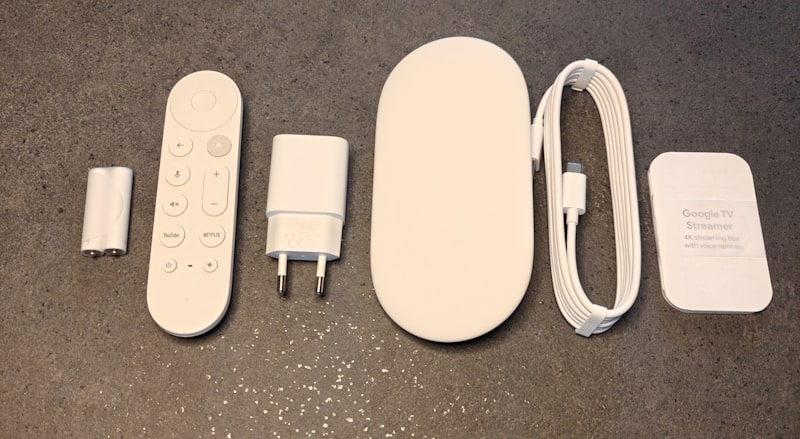
Below you can see what is inside the box. Notice, that there is no HDMI cable included with the device. Nevertheless, anything else you will need is inside the box.
What’s in the box:
- Google Streamer Device
- Voice remote – including 2 x AAA batteries
- Power Adapter
- Power cable (1.8m)
- Quick start guide
- Safety & warranty document
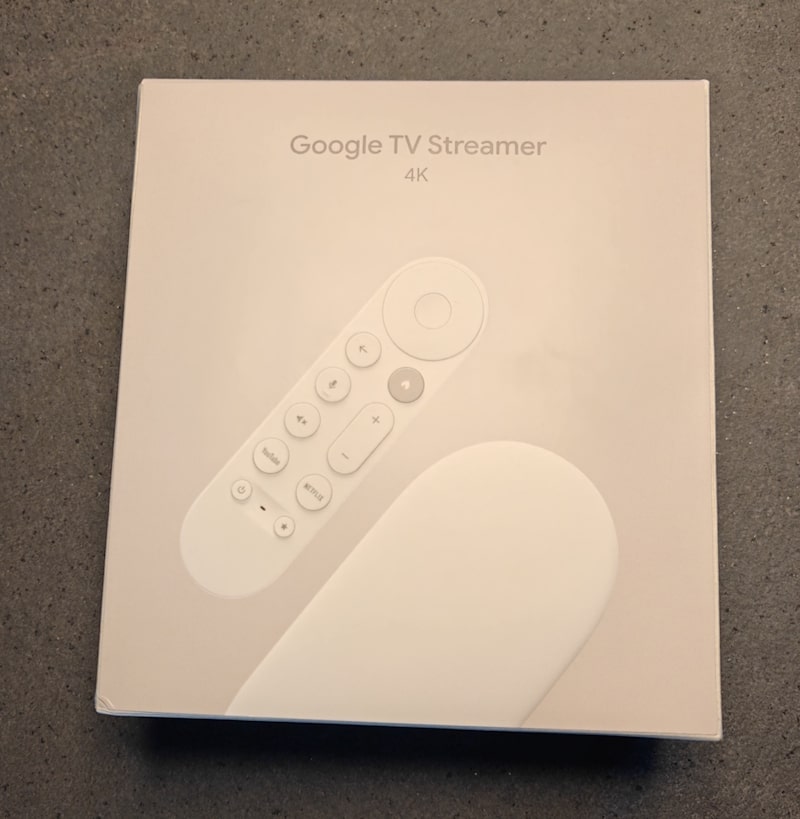
Design of Google TV
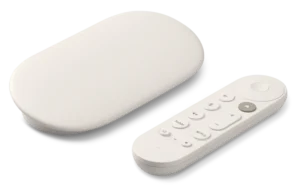
When it comes to the design I isn’t impressed. The device comes in two finishes Hazel (gray) and Porcelain (Kind of matt white). Opposite the Chromecast device that are placed behind the TV, this device is supposed to be visible, due to the remotes Bluetooth connectivity. First of all, I would have liked a black option. Furthermore, when it comes to the device itself, I am not too keen of the design. I remind me of a clock radio I had back in the early 90’s.
I guess good design, is an individual thing, but I don’t expect this thing to win any design awards, for sure. Maybe design is not the key factor here. I guess most people buy this gadget, because of the technology and not the design.
Remote control
When it comes to the remote control, it is not that big a remote. It is comfortable in the hand and the buttons works well too. On the other hand, every click comes with a little System Sound from Google TV, which I found annoying almost from the beginning. However, that is something that can be turned off under settings. The navigation with the remote is easy and smooth.
It also gives me the possibility to control the volume (Mute, volume up/down) even that my TV audio is routed through my Marantz AV Receiver. This is very nice and convenient.
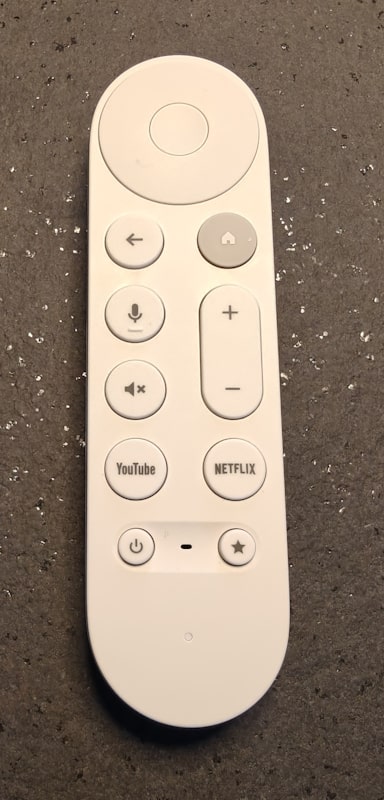

Hot to turn off System Sound from Remote button on Google TV Streamer 4K
Go to Settings -> Display & Sound -> System sounds
Toggle the option off and now there is no sound when clicking remote buttons.
Voice commands
On the remote there is a button with a symbol of a microphone. Whenever, you press and hold this button you can use your voice to activate Google Assistant. Furthermore, this lets you search for titles, control playback, launch apps, and control smart‑home devices without typing. In my tests, asking for “Die Hard” showed every Die Hard movie available, across my installed streaming apps, which was much faster than typing with the on‑screen keyboard.
Below are five examples for voice commands, you can ask Google Assistant:
– “Play The Crown on Netflix.” — Assistant opens Netflix and starts the show if available.
– “Find comedies from the 1990s.” — Searches across installed apps for matching titles.
– “Open YouTube.” — Launches the YouTube app on your Google TV.
– “Turn off the living room lights.” — Controls devices linked in Google Home (e.g., Philips Hue).
– “What’s the weather tomorrow?” — Shows a weather forecast on screen.
Setup guide
Setting up this new device was overall a got experience. Most of the setup is onscreen and once you have paired the remote with the Google TV Streamer, you use the remote to walk through the setup guide. You might also want to keep your phone nearby. You will need the Google Home app on your phone/tablet to configure your new device. Overall, the setup is very similar to the setup of Google Chromecast. However, there was one thing that took me by surprise.
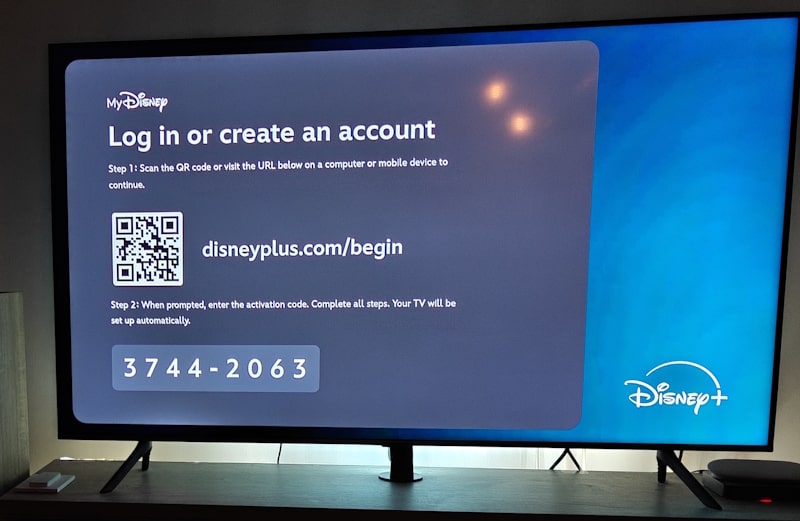
All the apps that I used for my Chromecast, I had to configure on my new Google TV. This includes apps like: Netflix, Viaplay, Disney, Prime and a couple of Danish apps. The reason for this is that the device itself, has to be able to login to your streaming apps regardless of your phone.
The good news is that most of these apps have made it easy to login using QR codes and one-time Activation codes like the one below:
Specification
Below you find the key specification of the Google Streamer 4K.
- Resolution – 4K HDR, 60 FPS
- Video formats – Dolby Vision, HDR10, HDR10+, HLG
- Connectivity – Ethernet, Wi-Fi 5, Bluetooth 5.1
- Storage – 32 GB
- Memory – 4 GB
- Ports – USB-C, HDMI 2.1 (Type A), Ethernet (10/100/1000 Mbps)
- Operating system – Android TV OS
- Price – $99.99 (Google Store)
Performance compared to Chromecast
As I mentioned earlier I have owned almost all model of the Google Chromecast made, including the Chromecast Audio. One thing was clear from the beginning. When it comes to the Google TV, it is a lot quicker than any Chromecast I have had over the years. Rewind and fast forwards in a movie or video are also a lot quicker than when I needed to use my phone.
Value and verdict of Google TV
I started this post asking the question: Google TV Streamer – Is it worth the money? Well, I guess it is time to answer that question.
Pros:
Remote included: It is nice that this device comes with a remote.
Gigabit Ethernet: This is a must when streaming 4K quality video.
Remote finder: A find my remote button, you can press a button on the back side of the device, to make the remote ring.
Control of home devices: Makes you control home devices, like Philips Hue Lights.
Cons:
Design: The design is not fantastic. I would have liked a black edition too.
Higher Price: Price is higher than a basic Chromecast, gut it also comes with better performance
Wi-Fi 5: It might be a bit outdated. Wi-Fi 6 or Wi-Fi 6E would have been nice
Re-login-Apps: It would have been nice, not to login to all my steaming apps again.
Conclusion
Overall, I am happy with my new Google Device. It is for sure an upgrade over the old Chromecasts. Having a remote instead of the need of a phone or a tablet to pause or rewind a movie is very nice. Furthermore, I believe the Google TV software works great. Also, nice that I can control my Smart Home devices with my remote. I was not aware of that when I ordered the device.