If you sometime has a PDF document you would like to edit or maybe add your own notes to, this post is something that will interest you for sure. You can of cause buy a very expensive program from Adobe or you can use this free online tool that I will tell you about below.
Read MoreSearch for large files with Windows Explorer Search
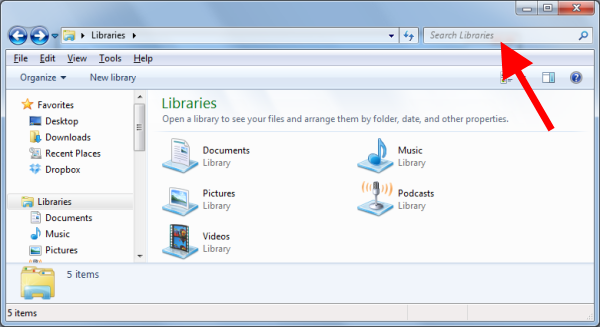
One of the things that I love about Windows 7 is the fast integrated search option built into Windows Explorer. In Windows XP you can Download Windows Desktop Search 4.0. It is working pretty much the same way as in Windows 7, but it is slow and takes up a lot of system resources.
Read MoreUSB 3.0 SuperSpeed Performance set to Double
I just read a Press Release on usb.org that The USB 3.0 Promoter Group are working on USB SuperSpeed (USB 3.0). It will come with enhancement that will add a much higher data rate. They are taking about up to twice the data through-put performance of existing USB !!! The news was released at CES 2013 in Las Vegas. This supplement to the existing USB 3.0 specification is expected to be completed by the middle of this year (2013)
Read MoreMy Google Analytics Traffic Report for Q4 2012
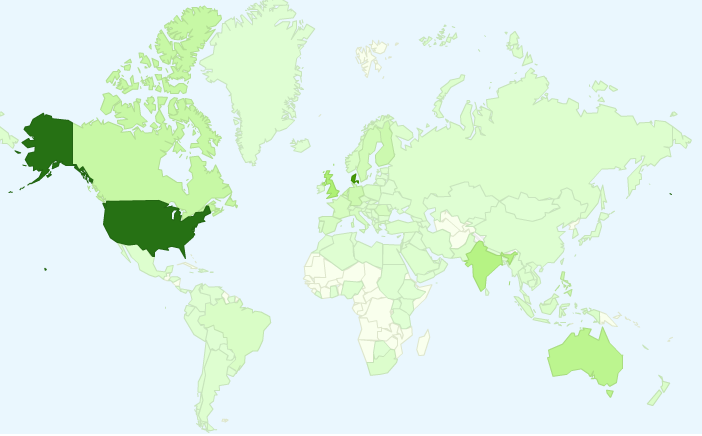
It is time for my last Google Analytics report of 2012. As always I am going to share my traffic stats of the past quarter so you can see how I have been doing traffic-wise for the last 3 months. Overall my traffic has been pretty steady, but there has also been a bit ups and downs along the road.
Read MoreHow to analyze Windows BlueScreen of Death (BSOD)
Need help to fix BlueScreen of Death? In this post I will introduce you to a great little free tool called WhoCrached. WhoCrashed is a great tool I recently came across looking for a solution to a problem I had. What this program can do is to analyze the dump files created by Windows when it crash making a Blue Screen of Death (BSOD). Afterwards, you can use it, to tell where to look in order to fix the issue so it don’t happens again.
Read More