
We’re getting used to browsers like Google Chrome updating all the time. Most updates are security-related, but new features often sneak in unnoticed.
What is new in Google Chrome
In this post, I will take a look at some of the new features in Google Chrome, that you might have missed out on. I know that Google Chrome is available on many platforms like, Windows, Android, MacOS and so on, but in this post, I will focus on what is new on the Chrome for Windows platform.
New features in Chrome
In this post I will go through these 5 features:
- Split View
- Read aloud
- Tab Groups
- Google Lens
- Chat with Gemini (AI)
Split View
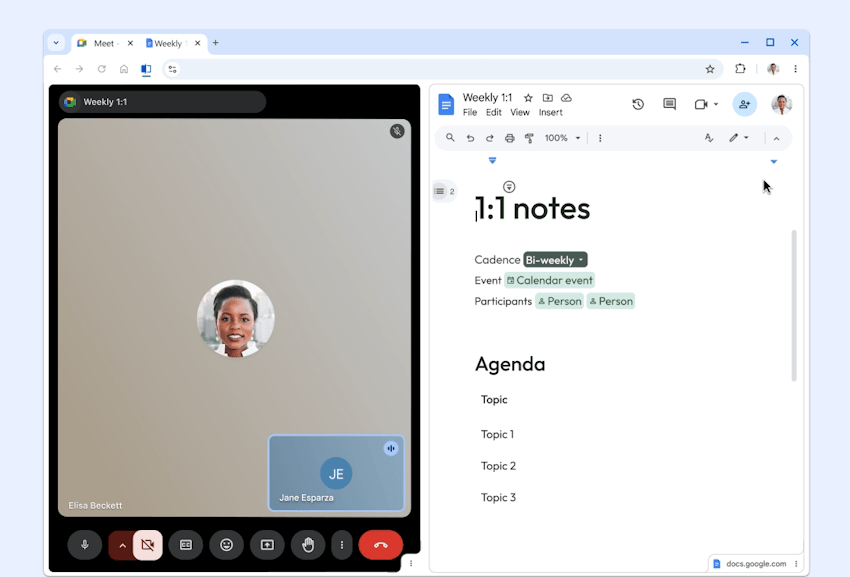
With the split view function, you can now have two websites within a single browser tab. This is a great feature, if you need to compare information within 2 webpages. If you are reading in a webpage and there is a link, you can simply right click the link and select “Open link in split view”. This will now open the link inside the tab, taking up half of the space of the tab, like you can see below.
See how Split View works here.
Read Aloud
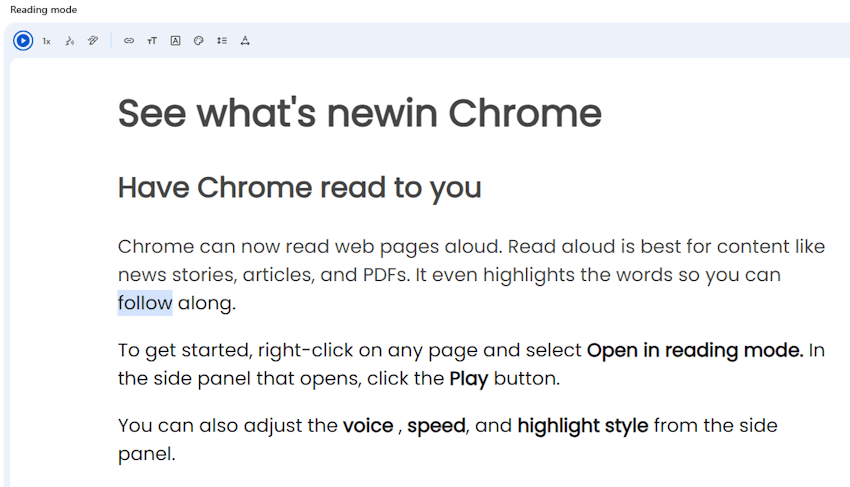
This is another cool feature, if you have to do a lot of reading from a website. It can sometimes be easier to get it read to you, instead of reading everything yourself. You can choose different voices in different languages and you can also control the speed the text will be read in. While the voice read for you, the words are highlight for you. This makes it possible to follow the text with your eyes and see the progress of the reading.
Even though I’m comfortable with English, I find it helpful to have technical content read aloud in a native voice. It improves comprehension and reduces fatigue.
See how Read Aloud works here.
Tab Groups
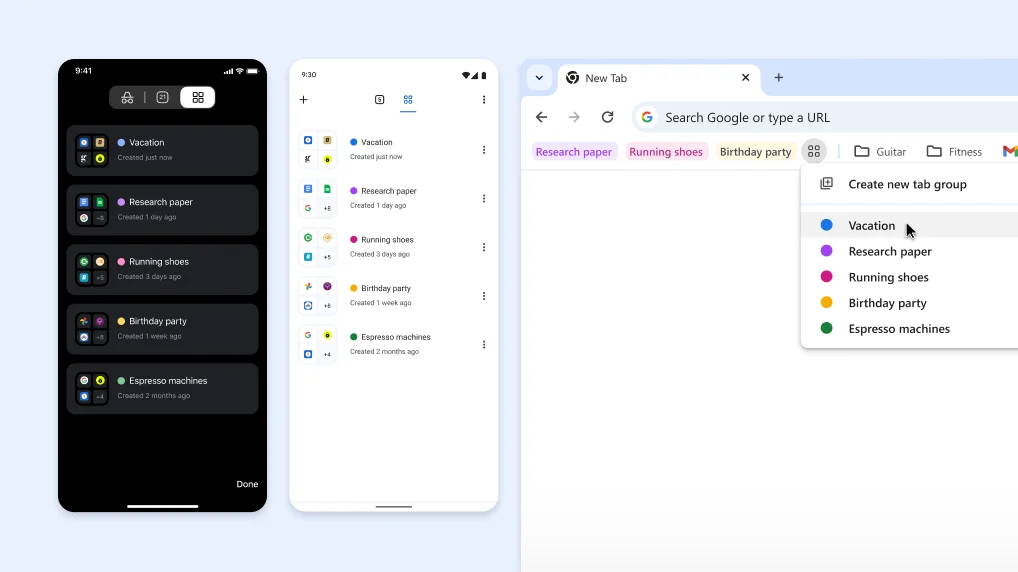
Tab groups was a feature introduced back in May 2025. It makes you group a number of tabs/websites that you use often and together. In addition, if you are signed in with a Google Account, you can access your Tab Groups from all your devices. Tab Groups are a little like Bookmarks, but with Tab Group, you can Expand and Collapse all Group members with a single click on the Group name. Also you can assign colors to each group to make it easy to see with tab belong to each group.
Google Lens
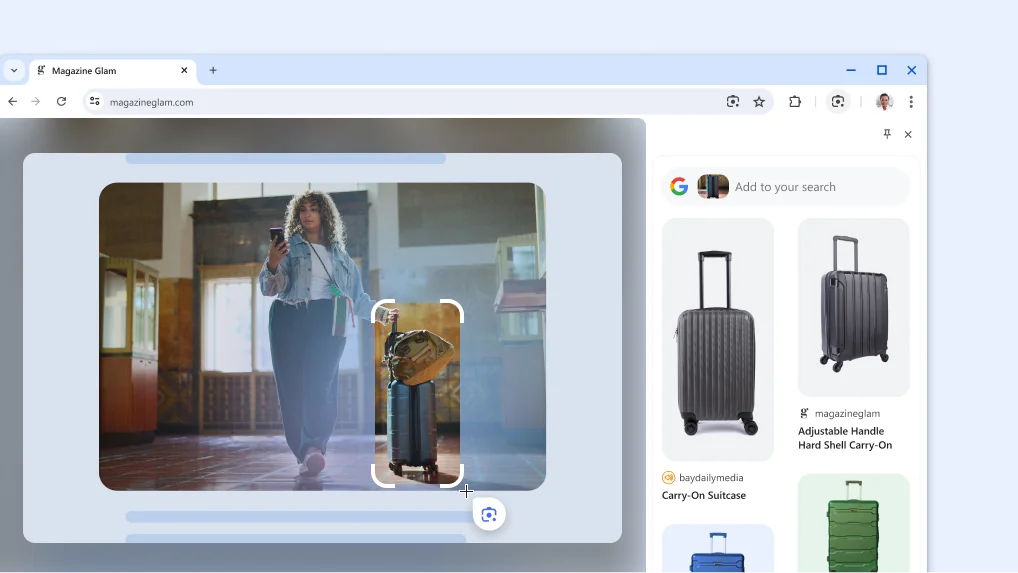
Goggle Lens is a feature that lets you right-click on an image or a video for search related content just within the same tab. Furthermore, it will show you the result in the right side of the page. It is perfect if you visit a page with a product, you are interested in, but are not sure what it is named or what it might cost. With Google Lens you can search for just that.
This feature was introduced in August 2025.
Chat with Gemini (AI) inside Chrome
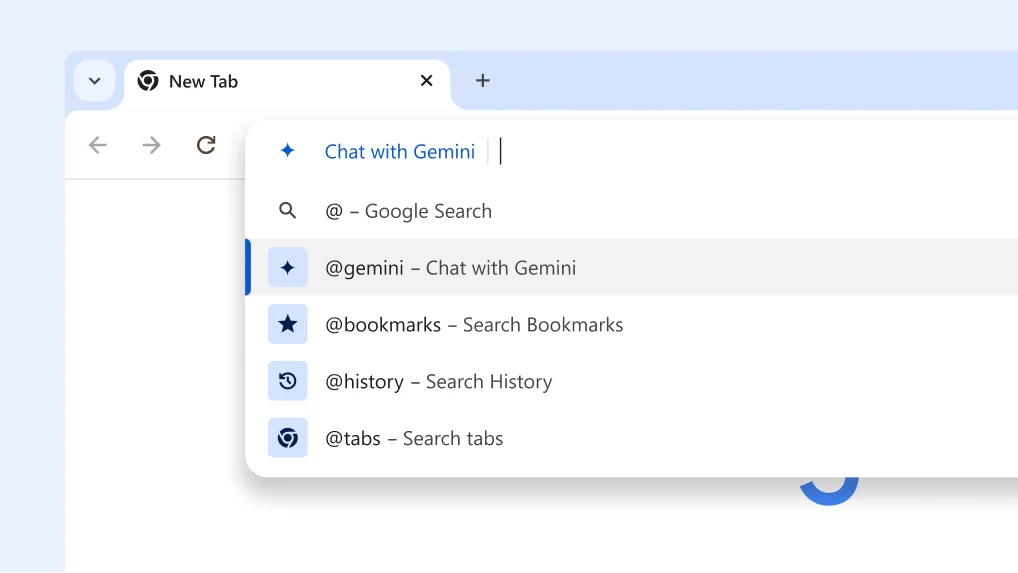
Did you know that you can chat with Gemini (Google AI) directly from the address? I was not aware of this. Just Type “@” in the address bar and select “Chat with Gemini”. Now you can ask Gemini anything. No need for an app a Chrome extension for that.
This feature has been there since August 2024.
Chrome Release history
For a full overview of Google Chromes release news, you can see all the releases here.
Do you find the new Chrome features useful?
I hope you found something useful from this blog post. Maybe there was a tip or two that can make your more productive in the future using Google Chrome. Which of these features do you think will improve your workflow the most? Let me know in the comments—I’d love to hear how you use Chrome day-to-day.